
QuickRef Project Assistant3.0.09 - Download
You'll be able to download in few seconds.
Publisher Description
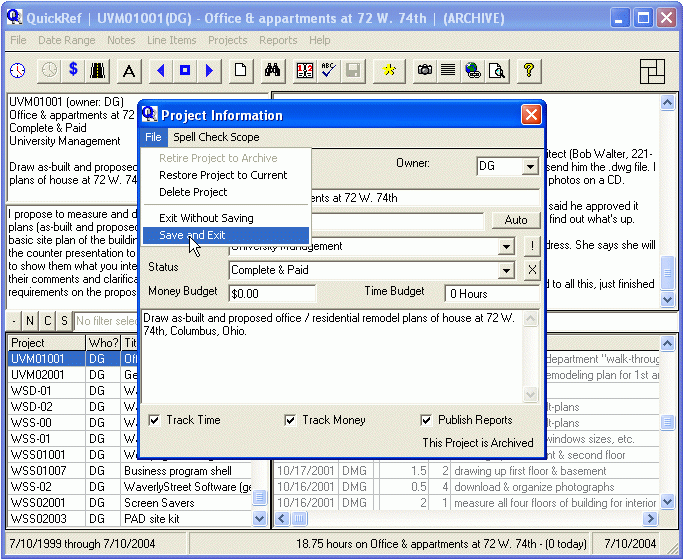
If you bill by the hour, QuickRef can make your life easier. It tracks time, expenses, to-do items, and keeps all your notes organized and easy to find. Working alone or in a group, QuickRef is the answer to your record keeping and reporting needs. It creates status reports, proposals, invoices, to-do lists, lists of things to buy, and purchasing check lists.
Easily create status reports for either single or multiple projects, including time comparisons between different projects for the current month or past 30 days. Tailor reports to include as much or as little information you wish to share, and automatically publish them to your office network.
The appearance of all reports and lists can be tailored to suit your tastes, including foreground and background colors, fonts, and text size. Graphics can be attached to either the top and side of reports, allowing you (in most cases) to exactly match the look of your existing company stationary.
Line items for both time and expenses may be sub-divided under up to nine different categories, with different hourly rates for time. Proposals and invoices will show a breakdown by category, and calculate totals per the rates you provide.
About QuickRef Project Assistant
This Project Management program is available in English. It was last updated on 29 September, 2026. QuickRef Project Assistant is compatible with the following operating systems: Other, Windows.
The company that develops QuickRef Project Assistant is WaverlyStreet. The latest version released by its developer is 3.0.09.
The download we have available for QuickRef Project Assistant has a file size of 3.1 MB. Just click the green Download button above to start the downloading process. The program is listed on our website since 2008-03-21 and was downloaded 0 times. We have already checked if the download link is safe, however for your own protection we recommend that you scan the downloaded software with your antivirus. Your antivirus may detect the QuickRef Project Assistant as malware if the download link is broken.
How to install QuickRef Project Assistant on your Windows device:
- Click on the Download button on our website. This will start the download from the website of the developer.
- Once the QuickRef Project Assistant is downloaded click on it to start the setup process (assuming you are on a desktop computer).
- When the installation is finished you should be able to see and run the program.
Program Details
System requirements
Download information
Pricing
Version History
version 3.0.09
posted on 2008-03-21
Added initials and dates to to-do report items.
version 3.0.05
posted on 2005-08-19
Minor bug fixes.
Disclaimer
External Download
We do not host QuickRef Project Assistant on our servers. We did not scan it for viruses, adware, spyware or other type of malware. This app is hosted by the software publisher and passed their terms and conditions to be listed there. We recommend caution when installing it.
The external download link for QuickRef Project Assistant is provided to you by apps112.com without any warranties, representations or guarantees of any kind, so access it at your own risk.
If you have questions regarding this particular app contact the publisher directly. For questions about the functionalities of apps112.com contact us.
